
AI Steroids Filter
Go big. Keep it playful.
Give your photo a larger-than-life muscle look. Start with Bodybuilder for bigger arms, broader shoulders and bold definition. No prompt needed.
The AI steroids filter is a photo effect that makes you look more muscular, for entertainment and visualization.
Free account needed to generate. New accounts get 1 free credit (valid 48 hours). Free results include a small corner mark.
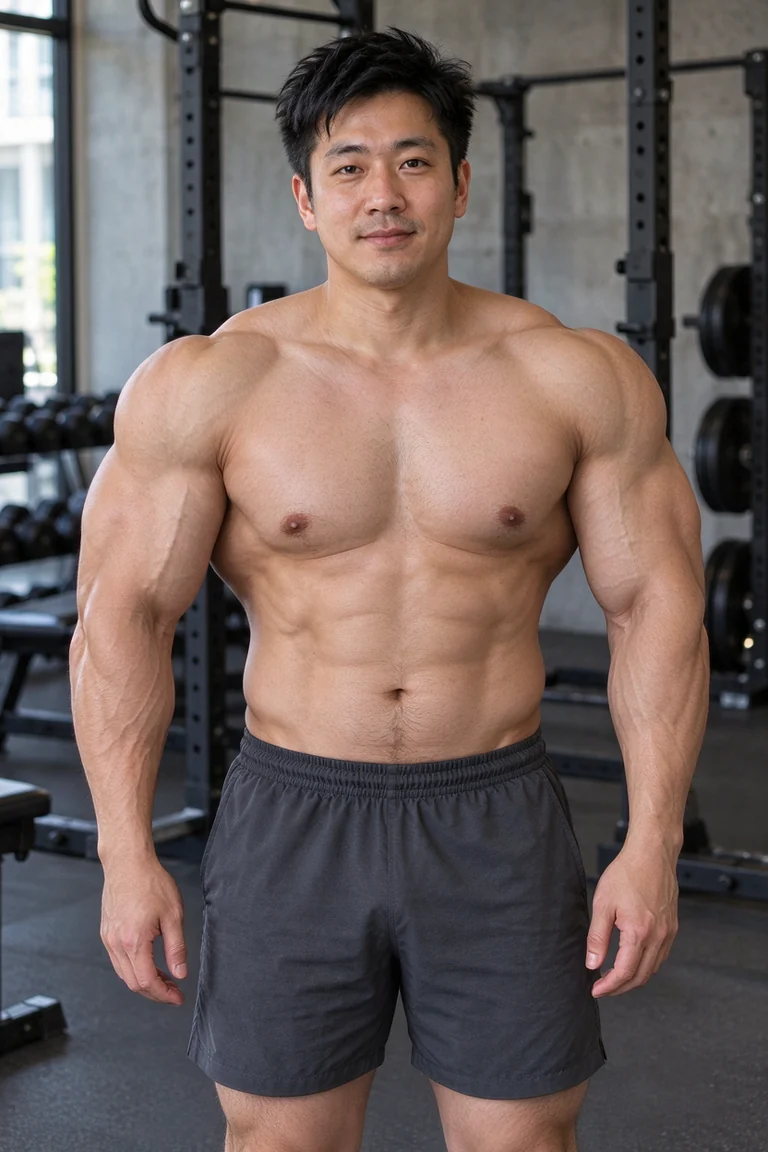
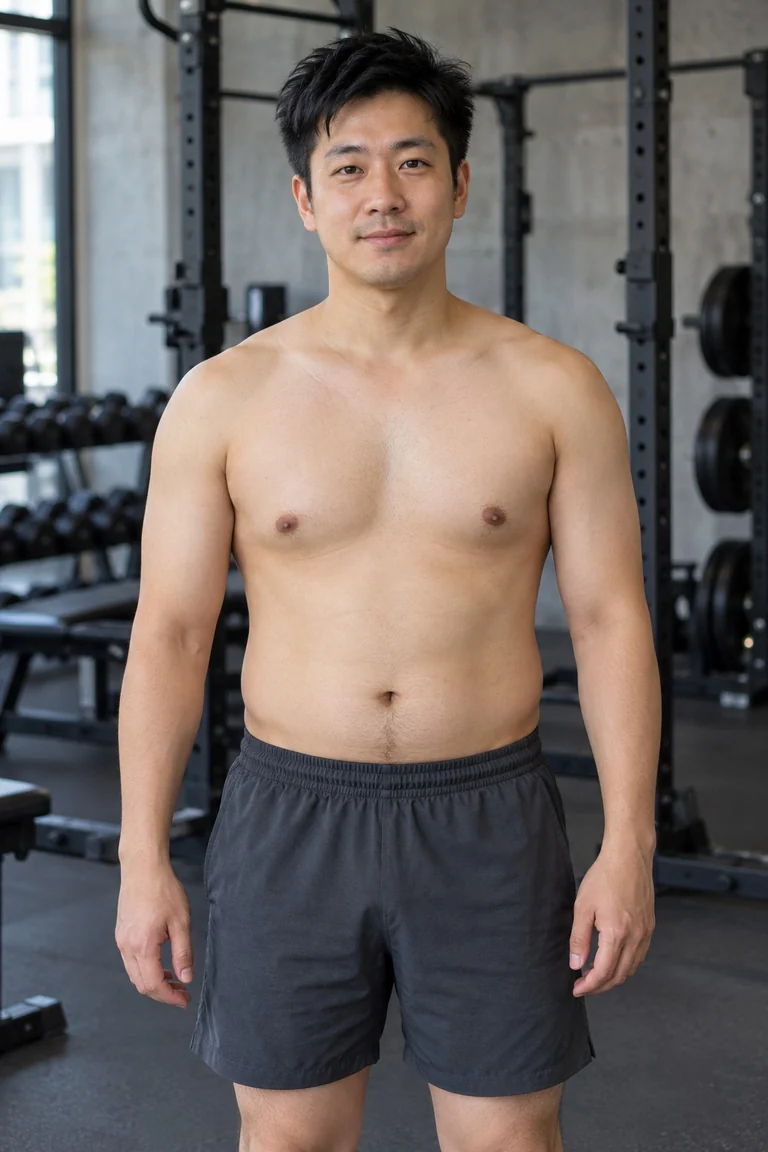 BodybuilderAI-generated person
Drag to compare · Bodybuilder example
An AI muscle edit of a fictional adult. Change Body or Build to preview another example. Your result will vary.
See more examplesThe photo effect
A little over the top.
That’s the idea.
Bodybuilder is our boldest build. Compare the muscle definition, and look at the face, pose and clothing too.
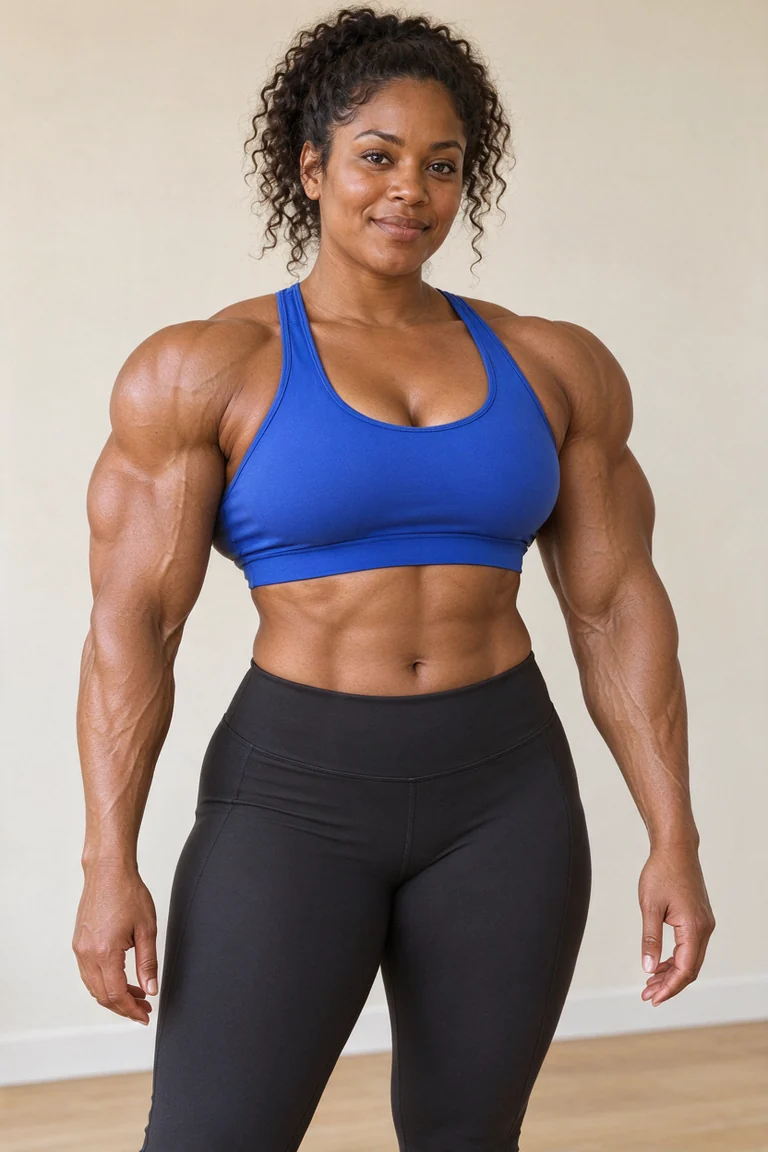
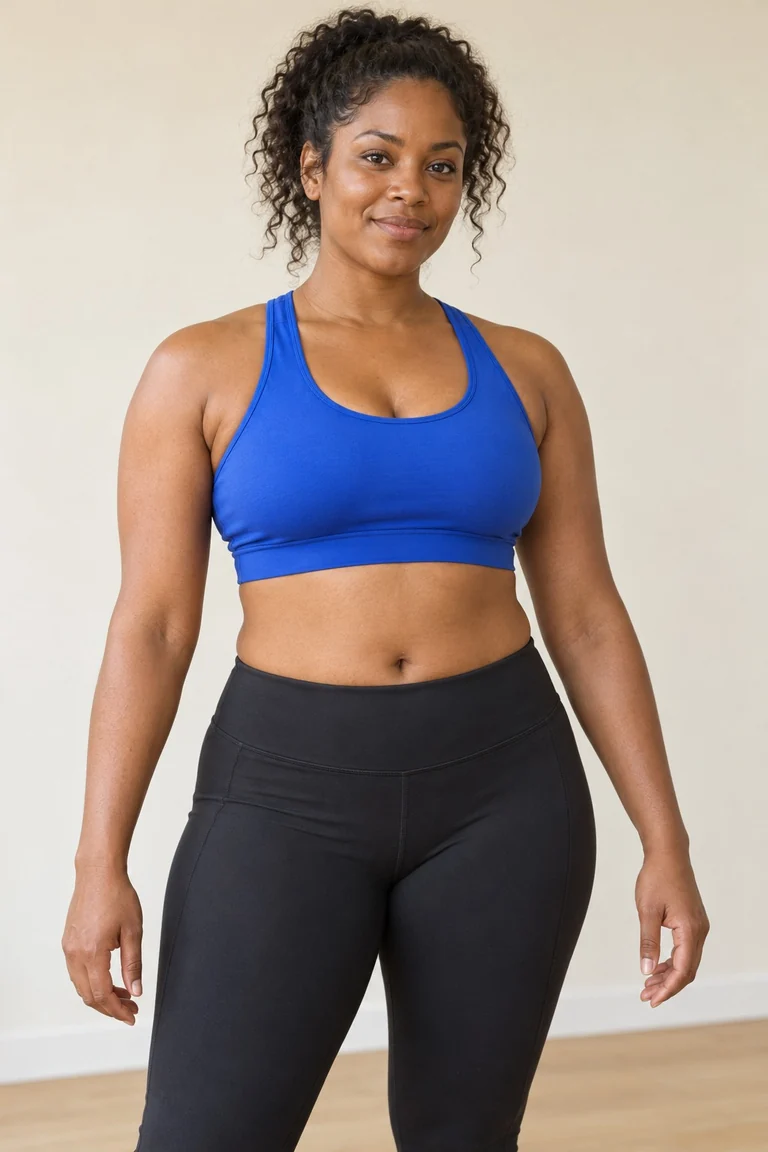 BodybuilderAI-generated person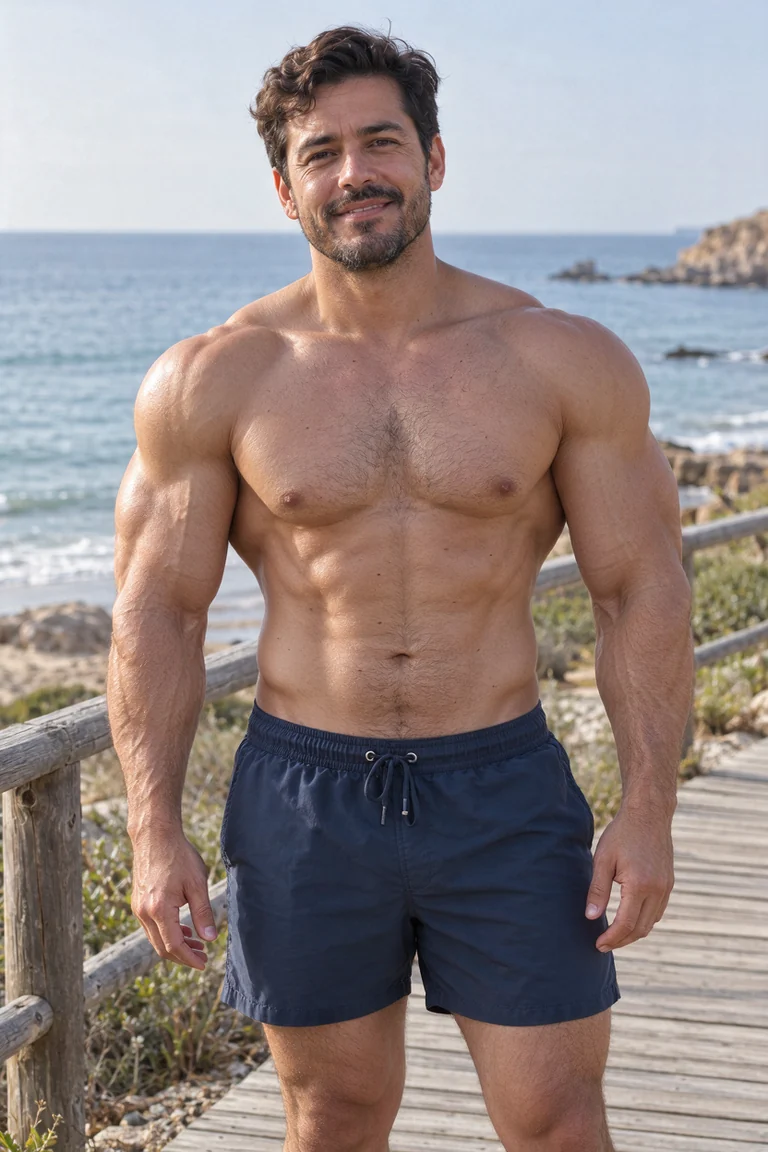
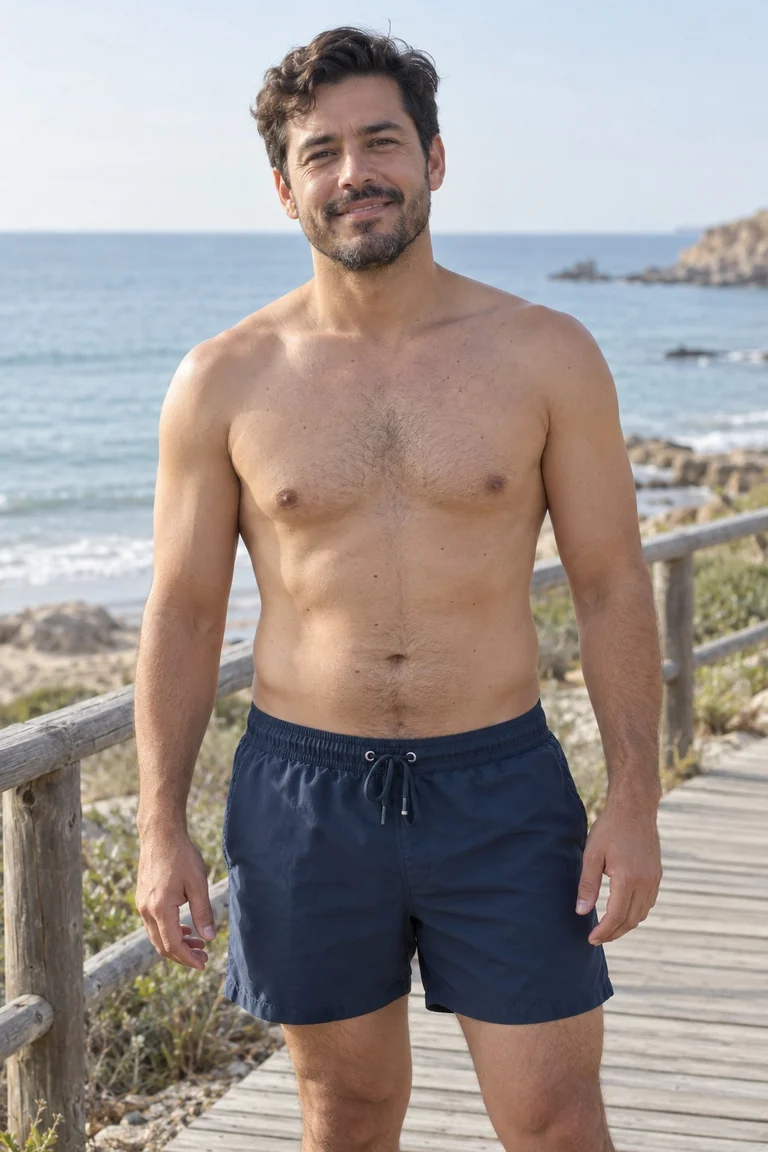 BodybuilderAI-generated person
These are photo edits, not fitness progress photos. Bodybuilder emphasizes size and definition; Athletic and Lean offer lighter changes. For an everyday muscle edit, try the main muscle generator.
No app. No prompt.
How to do the AI steroids filter
- 01
Start with your photo
Use a clear photo of an adult, with the face, shoulders and upper body in view. Upload a JPG, PNG or WebP up to 10 MB.
- 02
Turn up the muscle
Choose Male or Female. Bodybuilder is ready for a bold edit; pick Athletic or Lean for less intensity. No prompt or brush required.
- 03
Compare. Save. Share.
Slide between the original and the edit. Check the details, then download the image or a before-and-after card for your next post.
Give the AI a clear starting point
Visible abs?
Start with a visible midriff.
A photo effect works with what your camera can see. If your abdomen is covered by a loose shirt, don’t expect a visible six-pack through it.
- Frame your upper body. Keep your head, shoulders and arms in view. Leave room around your outline.
- Use even light. A clear front or three-quarter view helps more than heavy filters or a dark mirror selfie.
- Keep the coverage. Nonsexual adult fitness photos with exposed abs are welcome. A shirtless male photo or an opaque sports top can work; the edit is designed to preserve clothing coverage.
Muscle definition varies with the source image. This is a whole-body build edit, with no abs-only brush. Photo guidelines
AI steroids filter FAQ
What is the AI steroids filter?
It is a name for an AI photo effect that makes a person look much more muscular. Here, it means a playful image edit: bigger-looking shoulders, arms and chest, with more muscle definition. The result is an edited image for entertainment and visualization, not a prediction of a real body transformation.
How do I do the AI steroids filter?
Upload a clear adult photo, choose Male or Female, and start with Bodybuilder for the boldest of our three builds. Confirm you have permission to edit the photo, then generate. Compare the result with your original and download the image or a before-and-after card. You do not need a brush tool or text prompt.
Is the filter free to try?
New accounts get 1 free credit, valid for 48 hours after signup. One generation costs 1 credit. Free results include a small corner mark. Additional generations use paid credits; you can compare one-time packs and monthly plans on the Pricing page. Failed generations are refunded automatically.
Can it add six-pack abs? What should I wear?
The AI can add abdominal definition when your abdomen is visible, but results depend on the photo. Nonsexual adult fitness photos with visible abs are welcome. Men can use a shirtless photo; women can wear an opaque sports top. The edit is designed to keep the original clothing coverage. It does not remove clothes, and there is no separate abs-only control.
Does it work for women as well as men?
Yes. Choose Female or Male in the generator. Both have Lean, Athletic and Bodybuilder builds. This page starts with Bodybuilder for an exaggerated look; switch to Athletic or Lean if you prefer a lighter edit. AI can change details, so check your face, hands and proportions before sharing.
Is this a live TikTok or Instagram filter?
This tool creates a still photo in your browser. It does not add a live camera effect or generate a transformation video. Download the result or a comparison card in 9:16, 4:5 or 1:1, then upload it to your social app. You can arrange the images into a video using that app and label the edit as AI-generated.
Will it keep my face and background?
The edit is designed to keep your face, pose and background close to the source photo, but it is not an exact preservation guarantee. Clear lighting, a visible upper body and an uncluttered background help. Check the face, fingers, clothing edges and background lines after generating.
Who can use it, and how long are photos kept?
You must be 18 or older and own the photo or have the adult subject’s permission. Original photos are deleted from our storage after 24 hours; results are kept for 30 days or until you delete them in My creations. We do not use your photos to train models. Our Privacy Policy explains processing by moderation and generation providers.
Your photo.
A bigger plot twist.
Start with 1 free credit, valid for 48 hours after signup.
Free results include a small corner mark.
For entertainment and visualization only. Upload photos of adults you have permission to edit. How we handle photos